
Many marketers know how to use AI video tools, including the top AI video generator, but often struggle to get technically functional results that still look unnatural. Common issues include stiff movements, inconsistent facial features, or a style that does not align with the brand’s content.
This tutorial addresses these challenges by outlining five filmmaking principles you can apply on any platform to ensure your videos look intentional, not like rough AI-generated drafts.
Plan Before You Generate
Define Your Scene and Purpose First
Before writing any prompts, clearly define the subject, setting, mood, and purpose of your clip. Clarity at this stage guides every subsequent decision. Without it, even advanced models produce generic results. Think about what you want your viewer to walk away understanding or feeling; that’s what should shape every prompt you write from here.
How to Craft Cinematic AI Video Prompts
AI video models respond best to prompts written in cinematic terms. Vague prompts yield vague, unfocused motion. Effective prompts specify what the camera sees in a single, continuous shot, including the subject, position, camera angle, lighting, and motion direction.
Models in 2026 prioritize the first 20 to 30 words, so place the subject and main action at the beginning. For example: “a woman in a navy suit walking through a glass-walled office, medium shot, slow dolly forward, soft morning light, cinematic.”
The Five Core Principles of Using an AI Video Generator Effectively
Lighting
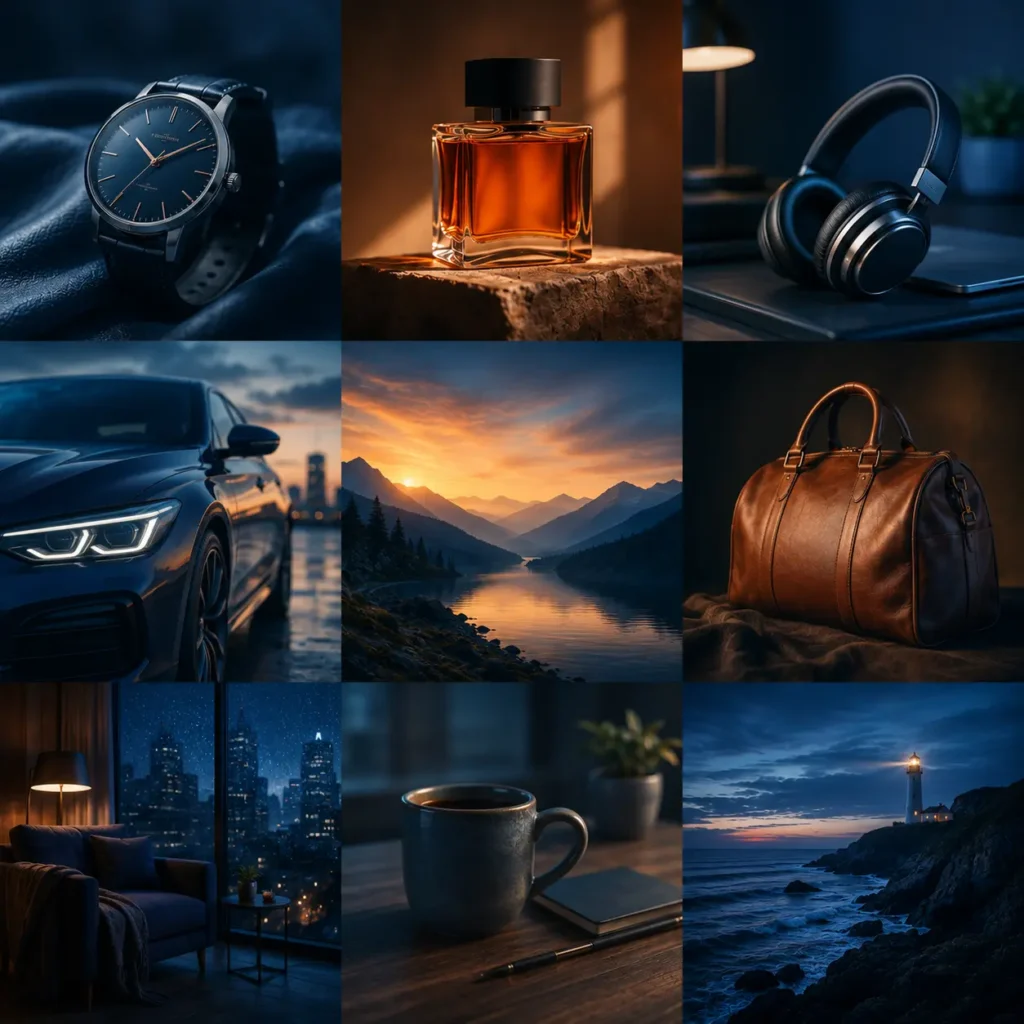
Flat, even lighting is a common sign of AI-generated video. Specify the light source, type, and time of day. Golden hour light from the left creates a different mood than harsh midday overhead light. Hard shadows add drama, while soft shadows convey calm. Professionals always include these details.

Depth

Depth distinguishes a realistic video from a flat moving image. Create depth with three layers: a slightly blurred foreground, a sharp midground subject, and a clearly described background. Request a shallow depth of field to highlight the subject. Modern AI models respond well when you specify this explicitly.
Composition
Composition directs the model on subject placement and camera angle. A centered, eye-level shot is neutral; a low angle adds power; and a wide shot provides context. Specify subject position, shot size, and camera angle. Otherwise, the model may make choices that do not match your intent.

Emotion

Describe not only the action but also the intended viewer emotion. For shots with people, specify their expressions. Indicate pacing: use slow cuts for reflection and faster rhythms for urgency. The most effective AI videos are built around a clear emotional goal.
Colors
Warm tones convey intensity and passion, while cool tones suggest calm and distance. Specify a color palette in your prompt and maintain it throughout the sequence. Product ads and documentaries require different palettes to evoke distinct emotions. Consistent color ensures your sequence feels unified.
Building a Production Workflow
Start With One Shot
Begin with a single key shot. Ensure lighting, composition, depth, and motion meet your expectations. Use this shot as a reference for the rest of the sequence. This method is faster, more cost-effective, and yields more consistent results than generating all shots at once.
Generate Multiple Versions and Compare
Create at least two or three versions of each important shot. If a result is close but not perfect, identify and adjust the specific element rather than rewriting the entire prompt. Change one variable at a time to understand its impact, rather than making random changes.
When to Edit Manually and When to Regenerate
Handle minor color grading, pacing, and sound design in editing software rather than regenerating. Address major issues with composition, motion, or character consistency by refining the prompt and generating again. Aim for 80 percent completion, then finalize it in editing.
Maintaining Consistency Across Shots
Keep Characters and Settings Anchored
Use consistent descriptive elements across all prompts, such as character appearance, color palette, lighting temperature, and environment. These anchors ensure shots fit together cohesively. Treat them like a costume: they must remain identical in every generation.
Use Reference Images the Right Way
When using a reference image, your prompt should describe only what changes, not what is already visible. Repeating visible details weakens the instruction. Focus on motion, camera movement, and changes in expression or action.
Manage Physics, Motion, and Facial Expressions
Physics and facial expressions can quickly undermine realism. Describe motion specifically and keep it simple. Slow, controlled camera moves are more believable than fast or complex ones. For facial expressions, use clear and simple descriptions. Models interpret ‘smiles with relief’ better than ‘expresses complex emotion.’
Putting This Into Practice for Your Campaigns
Marketing Teams and Advertisers
Use AI video generation for rapid prototyping before investing in full production. Quickly test multiple creative concepts, then develop the strongest one. Keep shots concise, purposeful, and emotionally clear. Let your audience’s definition guide every prompt, from the color palette to the composition.
Businesses and Corporate Content
Set a consistent visual template for all AI-generated content, including color palette, lighting style, and composition. Apply this across all generations to build a unified visual identity without a dedicated production team. For training and instructional videos, prioritize clear composition and a neutral tone over cinematic effects.
You Are Ready to Start
Apply these approaches with OpenArt, which features leading AI video models such as Kling 3.0, Veo 3, and Wan 2.5—all available through a single, intuitive dashboard. Explore the streamlined process and see how OpenArt can enhance your workflow.
Try OpenArt now →
Digital Marketer, SEO Enthusiast
Authored by Abu Talha, who founded Sembron.com and enjoys diving into the world of SEO, software, and AI technologies.